Your weekly plan in one place.
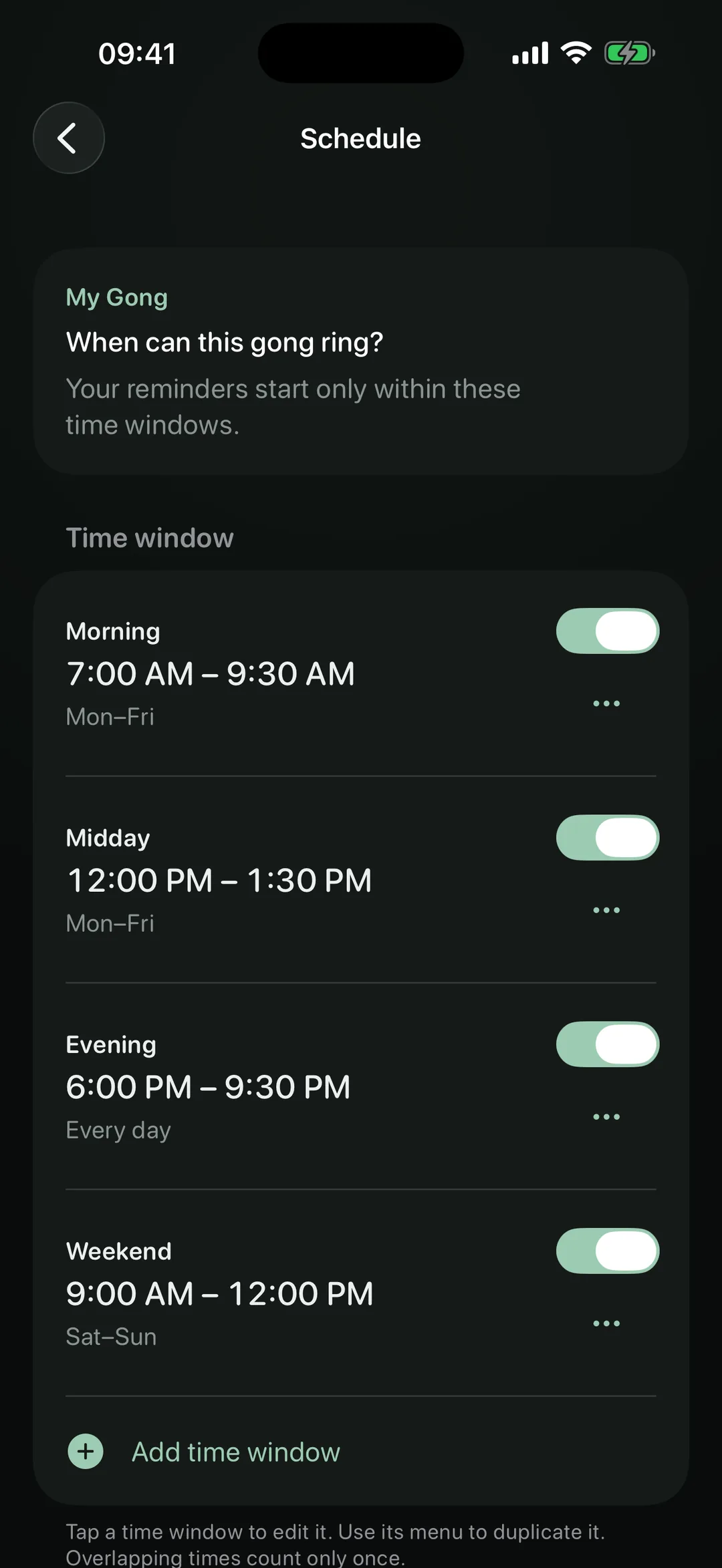
Several time windows per gong, each with its own weekdays – all day, mornings only or across midnight. Duplicate a window and adjust it.
A moment in your day · For iPhone
Your day is full. One moment in it belongs to you. Several times a day, NowGong reminds you to take 90 seconds of stillness. You start your pause; a gong brings it to a close.
A real alarm, even when your iPhone is silent or in a Focus. No account, no tracking, no ads.
Start free · iPhone with iOS 26 or later · 10 languages
How it works
For each gong, set the weekdays and time windows in which it may ring – even across midnight. NowGong spreads the reminders at random within them. Fixed times work too.
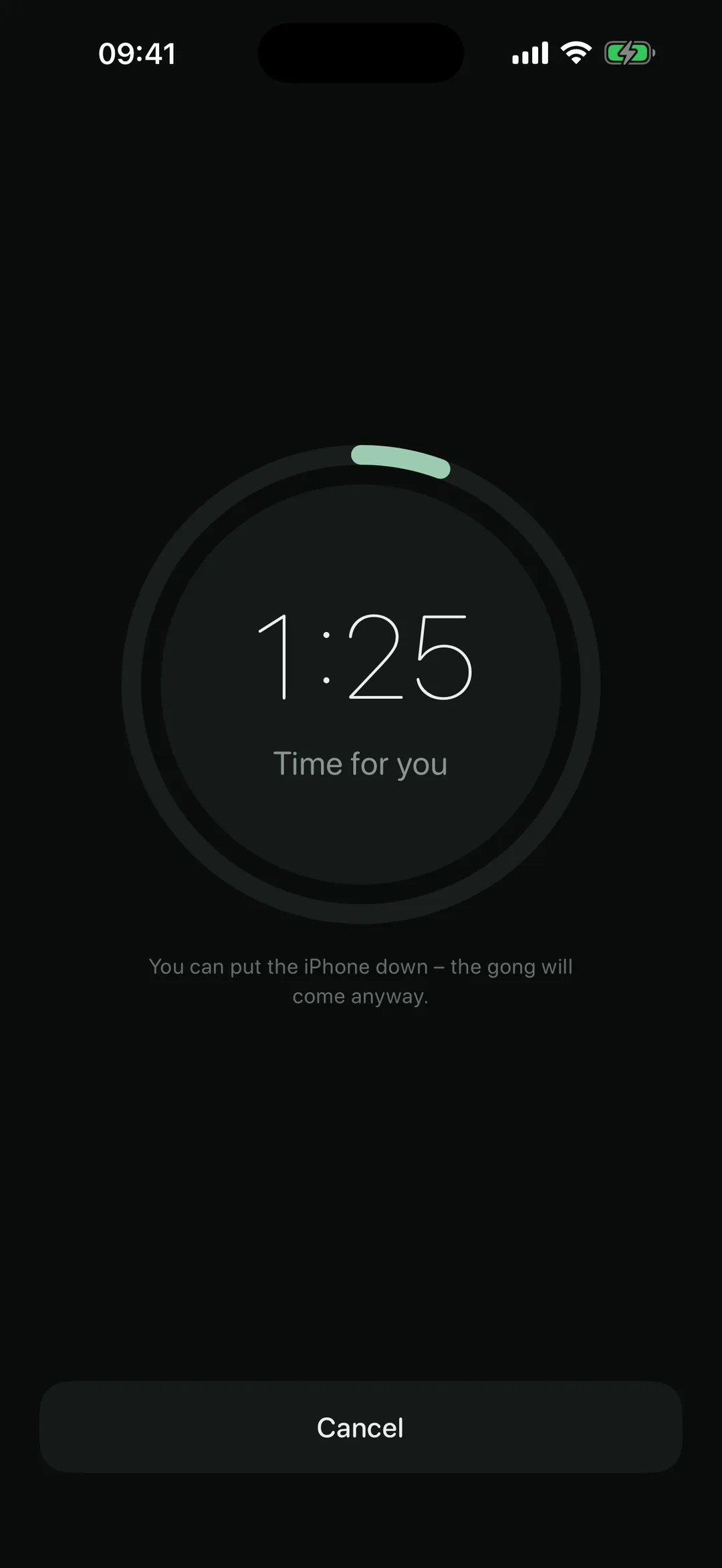
A real alarm rings, even when your iPhone is silent or in a Focus. You don’t have to start right away: within the start window – 30 minutes by default – your pause still counts.
If you like, your intention appears first – a personal sentence for each gong. Then breathe, sit quietly, look out of the window. After 90 seconds, the gong sounds. You can choose a different duration.
Meet NowGong in 18 seconds
A reminder. A moment to yourself. Then your day continues.
The 90-second pause is shortened in the film. Sound only starts when you play the video.
A woman pauses during her working day. NowGong reminds her with a sound, and the real app shows the pause timer running. She puts down her phone and takes a quiet moment. A gong brings the pause to a close. The final invitation: try NowGong free on iPhone.
Made for everyday life
Several time windows per gong, each with its own weekdays – all day, mornings only or across midnight. Duplicate a window and adjust it.
Pause reminders for the rest of the day or until you turn them back on. For each iOS Focus, decide whether the bell rings, reminds quietly or stays silent. Shortcuts can pause NowGong automatically – in the Driving Focus, for example.
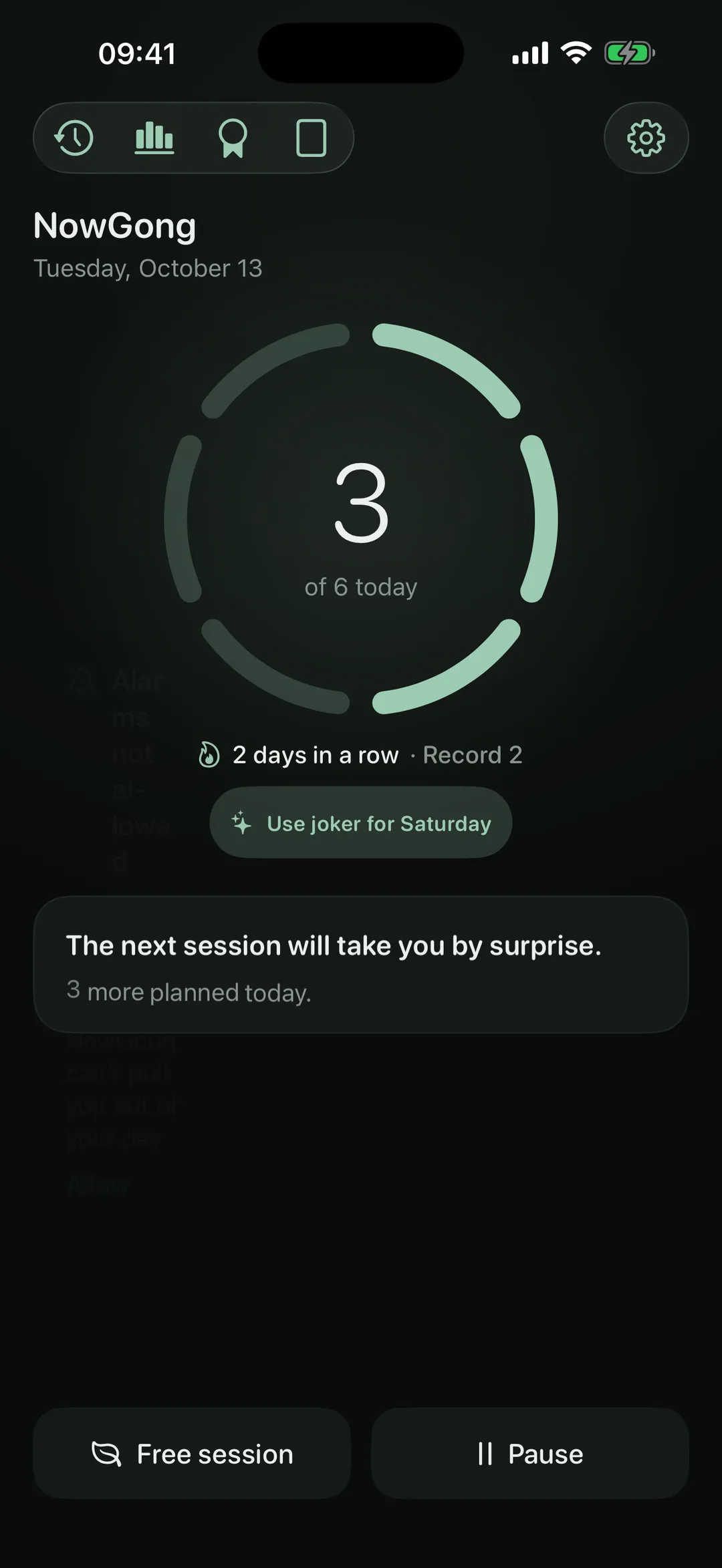
Your streak can be strict, mild or off – you decide. A joker repairs a missed day. Your pauses count either way.
The widget shows your daily ring and streak on the Home and Lock Screen – and stays up to date even on days you don’t open the app.
Share your weekly card or a milestone as an image whenever you feel like it. Both are free – no Pro needed.
An optional check-in records your mood locally. With your permission, NowGong also writes mindful minutes and your state of mind to Apple Health. Statistics (Pro) show minutes, rates, mood and times of day.
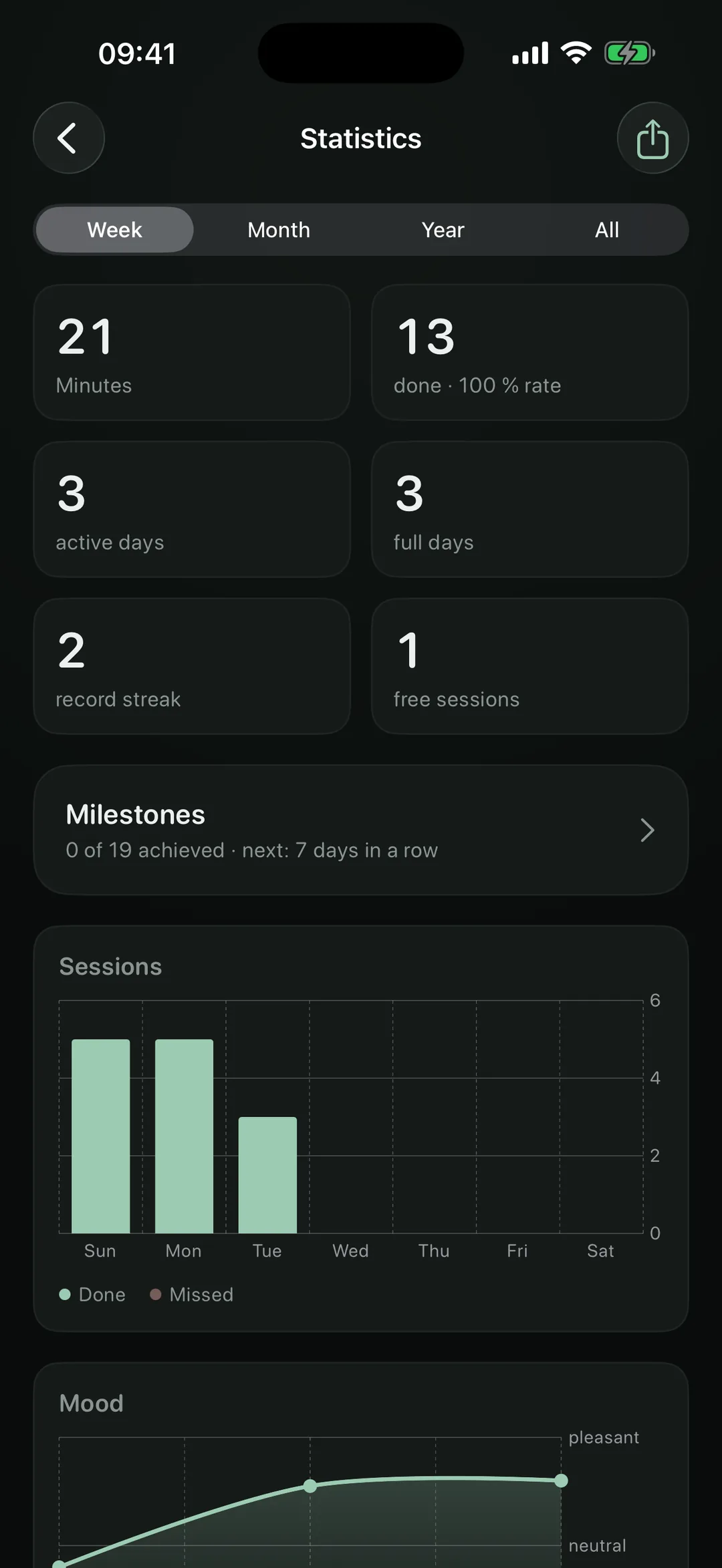
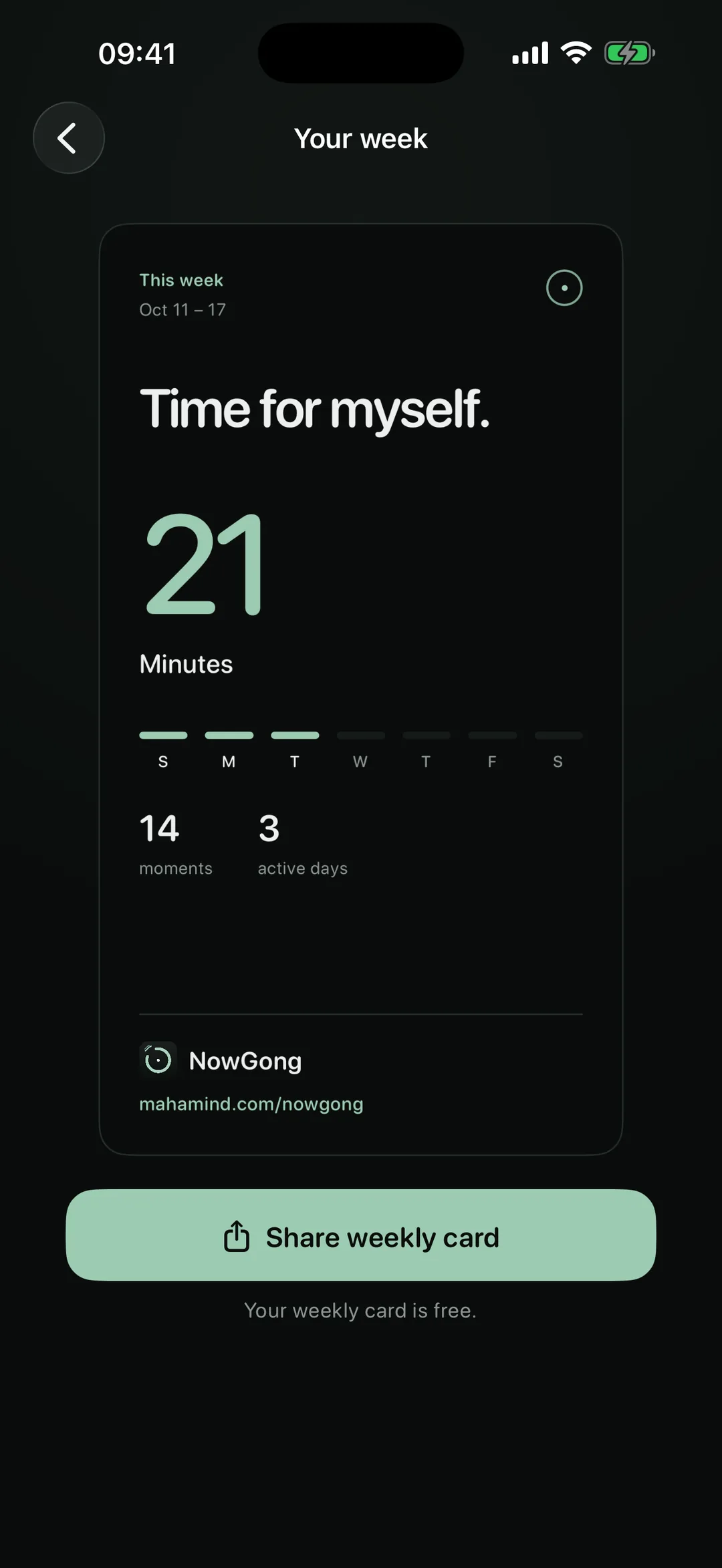
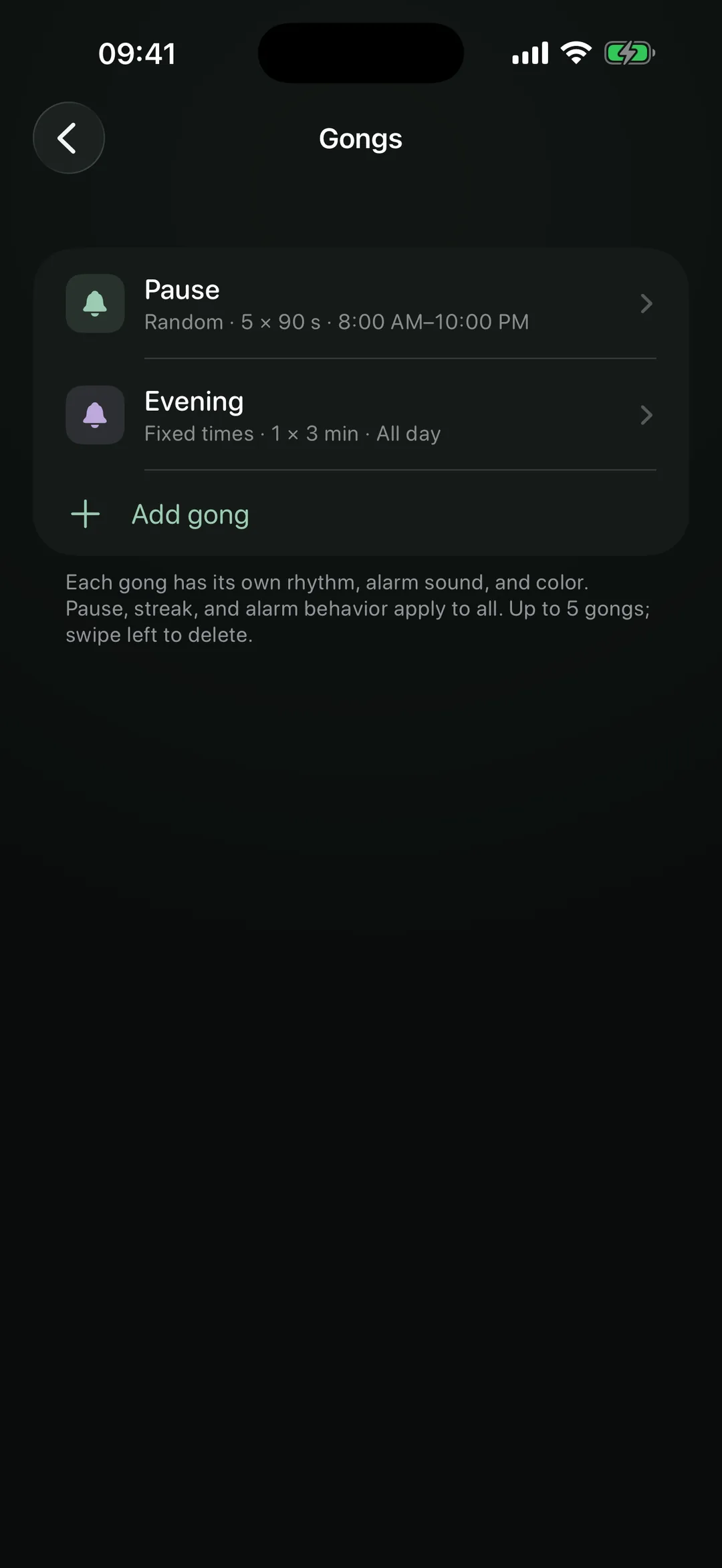
App screens use sample data. Statistics and multiple gongs require Pro; the weekly card is free.
Free or Pro
The daily ritual is free to use. Pro gives you more room to make it your own – as a one-time purchase, no subscription needed. If you prefer to pay yearly, you can.
€0
No trial time limit
€9.99
one-time purchase, no subscription needed · or €3.99 per year
Pro prices shown are for Austria. Prices and currencies vary by country; check the price shown in your App Store. The optional annual subscription renews automatically and can be cancelled in your Apple Account. Pro supports Family Sharing.
Your moment stays personal
NowGong has no account, no tracking and no ads. Pauses, progress and mood check-ins are stored locally. The app does not read Health data; only with your permission does it pass mindful minutes and your state of mind to Apple Health. You decide whether to share a card or send us feedback – with a diagnostic attachment if you wish.
App privacyQuestions about NowGong
No. Make the pause your own: breathe, stretch or look out of the window. There are no courses or voices you need to follow.
Yes. NowGong sets real iPhone alarms that ring even with the silent switch on or a Focus active. The app needs your permission to set them. For each Focus you can choose whether the bell rings, reminds quietly or stays silent – in quiet mode you get a notification instead of the alarm.
Yes. Ninety seconds is a starting point, not a rule. For each gong you set several time windows with weekdays, even across midnight. Within those windows NowGong reminds you at random – or at fixed times if you prefer.
You have a start window – 30 minutes by default. While it runs, you can still begin your pause. If several gongs fall close together, the sessions – that’s what the app calls your pauses – wait as a stack of cards, and you take them one after another.
Your pauses and optional mood check-ins are stored locally on your iPhone. With separate permission, NowGong also writes mindful minutes and your state of mind to Apple Health. The app does not read data from Health.
In NowGong, open Settings → Alarms and check that alarm permission is granted and alarms are enabled. Also check Pause, your time windows and Focus filters. When sending feedback from the app, you can choose to include a diagnostic log.
No. NowGong is currently available for iPhone only, with iOS 26 or later.
No. You can use NowGong for free. Pro is a one-time purchase with no subscription; the annual plan is an optional alternative. Pro supports Family Sharing.
Questions, bugs or ideas? Email us or send feedback directly from the app.
hello@mahamind.comStart free · iPhone with iOS 26 or later · 10 languages